


Update Software App: Updates
4.078.00 Reviews
App Specs
- Version
- 2.3.0
- Updated On
- License
- Free
- Downloads
- 1,000,000+
- Developer
- Vidmark Inc.
- Categories
- Libraries & Demo
- Platform
- Android
Screenshots
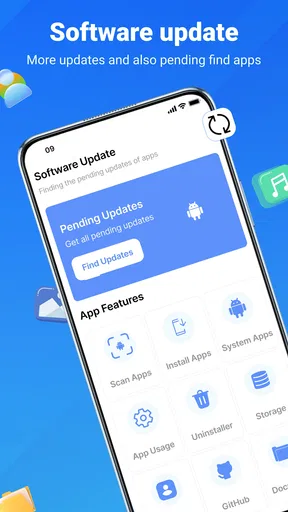
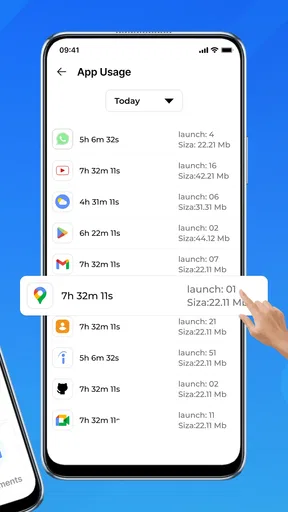
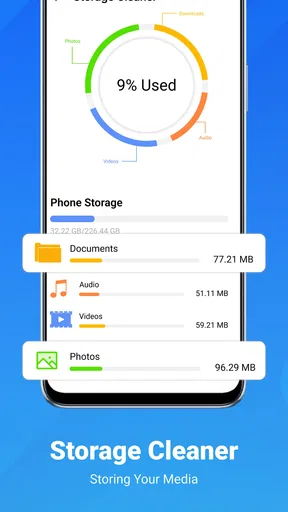
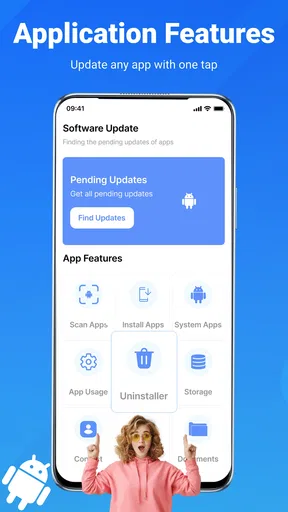
 Analysis by AppCompare
I like the idea of having one place to check whether my apps may need attention, but I also think it helps to know what an update checker can—and cannot—do. Update Software App: Updates is a free Android utility from Vidmark Inc. in the Libraries & Demo category. Its job is to help with app-updating routines, not to replace the phone’s own app store or make every update decision for you. That distinction matters: I’d treat it as a convenient starting point, then use the system’s normal update controls to decide what actually gets installed.
That makes the app most useful for people who have accumulated lots of apps and rarely remember to check them one by one. It is less compelling if you already keep automatic updates enabled in your usual app store and are happy with that arrangement. The practical question is not whether an extra checker sounds useful, but whether a reminder and a single place to review app status will fit your habits better than the routine you already have.
A repeatable check is better than a one-off scan
I’d build the app into a small maintenance habit rather than expect it to quietly solve every update problem. For example, when I have reliable Wi-Fi and a few minutes to spare, I can open the checker, review what it finds, and then decide which items I want to handle. Making that a regular moment—perhaps while charging at home—helps avoid the less convenient situation of discovering an update when I’m about to rely on an app away from Wi-Fi.
There is also value in separating “check” from “install.” An app appearing as outdated is a prompt to investigate, not a reason to update immediately. If I use a particular app for work, travel, or a time-sensitive task, I’d rather avoid changing it right before I need it. I can review the update when I have time, install it at a sensible moment, and then open the app once to make sure it behaves as expected.
For a shared family phone or a device used by someone who does not enjoy digging through menus, a plain update-checking routine can be easier to explain than a long tour of the app store. I would still show that person how to use the phone’s regular update controls, especially if they prefer to approve changes themselves. The checker can make the first step more approachable, but keeping control of installations is a useful skill in its own right.
Getting Started with Updates
When I first downloaded the Update Software App: Updates, I was curious to see if it lived up to the hype. The installation was a breeze, and the interface is super user-friendly. You don’t need to be a tech wizard to navigate through this app. It’s designed with simplicity in mind, which is a huge plus for folks who aren’t tech-savvy.
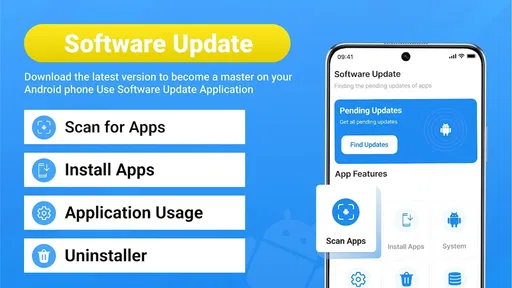
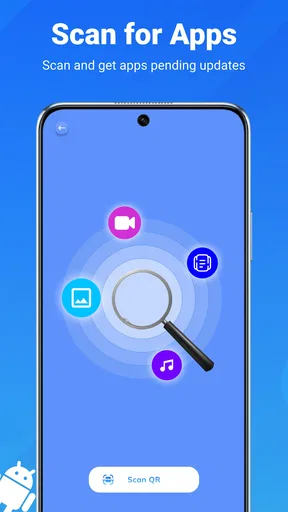
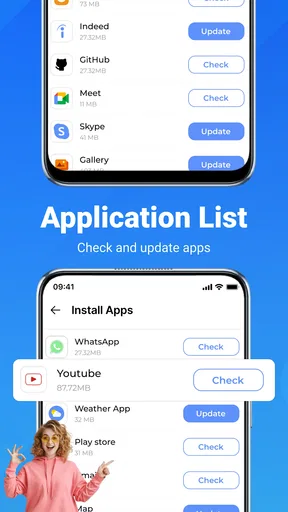
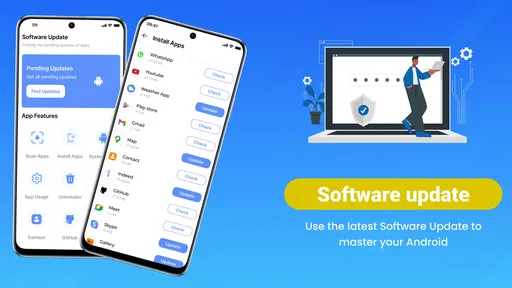
After launching the app, it immediately scanned my device for installed apps that needed updating. The results? Pretty impressive. It listed all the outdated apps and even prioritized them based on importance. This feature is a lifesaver because, let’s be honest, who has the time to manually check each app?
Worth Reading Before You Choose

Flipboard Shows What News Apps Must Do Beyond the Feed

Switching to Android Auto Means Rethinking Your Driving Routine

Google Calendar Makes a Crowded Week Easier to Manage

Ludo King Makes the Most of the Minutes Between Plans

Baby Panda World Brings Quick Play to Modern Phones, but Its Game Library Feels Busy

ESPN’s Live Game View Makes Following Close Games Easier
The overall appeal is straightforward: instead of opening a long list of apps and trying to remember which ones deserve attention, I can begin with a scan and focus my effort on the results. In everyday use, that is most helpful when my phone has apps I rarely open. Those are easy to forget, even though an update may still matter when I eventually need them. I would not assume every listed item is urgent, though; the app is a way to organize the check, while I still make the call about timing.
Features That Stand Out
One of the features I found particularly handy is the app's ability to automatically update your apps. You can set it to update over Wi-Fi only, which is great for saving data. Plus, there’s a nifty notification system that keeps you in the loop when updates are available. No more missing out on the latest features or security patches!
If you're like me and want to keep a bit of control, the app allows you to review the update details before proceeding. This way, you know exactly what’s being changed or improved. It also provides a history of updates, which is useful if you ever need to track changes.
Settings worth checking before settling into a routine
For anyone who prefers to limit mobile-data use, the Wi-Fi-only option is the first setting I would look at. It is a practical safeguard when a phone plan is tight or when updates are large enough to make cellular downloading inconvenient. I would also check how notifications fit my day: useful reminders can keep a neglected app from slipping through the cracks, but too many alerts can become background noise. A good routine is one where I notice the prompt and act on it, rather than dismissing it automatically.
Automatic updating is convenient, but it is not the right choice for every app or every moment. If I depend on an app for a particular task, I prefer to know when it changes and give myself time to test it afterward. Reviewing update details first and keeping the history in mind makes a more deliberate approach possible. The trade-off is simple: more automation saves attention, while more review gives me better control over timing.
One useful habit is to check the phone’s own update settings alongside this app’s preferences, so the two routines do not surprise me. I would decide which tool should handle routine updates and which one I want to use for review. If I receive a notification, I can use it as a cue to inspect the available changes rather than assuming the update must be installed immediately. That small distinction helps keep reminders helpful instead of turning them into pressure.
Faster patterns for busy days
A quick weekly check is a sensible middle ground for someone who does not want to inspect apps every day. I would open the checker when I am already on Wi-Fi, scan the list, and handle only the items that matter before the next busy stretch. For apps I use constantly, I would consider them first; for something I rarely open, I can wait until I have more time. This is more practical than treating every update as equally urgent.
There is a different workflow for a phone that is about to travel with me. Before leaving home, I can check the apps I expect to use—such as maps, messaging, or a booking app—while I still have a stable connection and time to recover if anything behaves differently. That does not mean I need to update every app before every trip. It means I can prioritize the tools I will rely on and avoid discovering a pending change at an inconvenient moment.
The update history is useful as a personal reference point, not just a record to glance at once. If an app’s behavior feels different after maintenance, checking what changed can help me connect the timing and decide whether I should investigate further. I would not treat a history entry as proof that an update caused a problem, but it can make troubleshooting less dependent on memory.
Performance and Reliability
In terms of performance, the app runs smoothly without hogging your phone’s resources. I didn’t notice any lag or crashes, which is always a major concern with utility apps. The developers have clearly put a lot of thought into making sure it runs seamlessly in the background. Plus, the app’s lightweight nature means it doesn’t take up much space on your device.
"Keeping your apps up-to-date has never been this hassle-free."
How about reliability? Well, I’ve been using it for a couple of weeks now, and it’s consistently delivered on its promise. I haven’t missed a single update, and my apps are running smoother than ever. That’s a win in my book!
Where the checker fits—and where it doesn’t
Compared with opening the usual app store and checking its update page directly, a dedicated checker can feel like a more focused first stop: it brings attention to apps that may need review and gives reminders a role in the routine. The app store remains the place I would rely on for the actual update process and its established controls. If I only have a handful of apps, or already check the store regularly, going straight there may be quicker and avoids maintaining another utility.
I would also keep expectations realistic about what a scan means. A checker can help me notice update opportunities, but it cannot guarantee that every app will be current at every moment or that an update will improve performance. Availability and installation can depend on the normal app-update process. If something does not appear or install as expected, I would check the app store and the phone’s connection before assuming the checker itself has resolved it.
The app is rated for Everyone and has a 4.4 average from around 19 thousand ratings, with over 1 million installs. Those figures suggest that many people find the basic idea useful, but they do not tell me whether the workflow suits a particular phone or person. I would judge it by whether its scan, reminders, and review options make me more consistent without adding more alerts and decisions than I want.
Limits to keep in mind
This is a focused utility, so I would not choose it expecting a broad phone-maintenance suite or a detailed explanation of every app’s security status. Its value is in helping me check and organize updates, not in replacing the source that distributes them. People who want to approve every change may prefer to keep automatic updating off and use the checker as a prompt. People who want everything handled with no interruptions may be happier relying on their app store’s existing automatic-update controls.
The free download also includes in-app purchases, with items priced from $2.99 to $48.99. I would first decide whether the basic checking routine is useful before considering any purchase. If the feature I need is simply a reminder to review app updates, paying extra may not improve my day-to-day process. The current version is 2.0.2, and it requires Android 7.0 or later, so those are worth checking against the phone before installing.
Final Thoughts
All in all, the Update Software App: Updates is a solid tool for anyone looking to maintain their apps effortlessly. Its user-friendly interface, efficient updating process, and reliable performance make it a must-have for any smartphone user. If you’re tired of sifting through endless app updates manually, give this app a shot. You won’t regret it!
My more measured recommendation is that it is worth trying if app maintenance tends to fall off your radar and you like having a dedicated place to start. I would use it with a repeatable check-in, sensible notification choices, and a quick review before important updates. If your phone’s built-in store already keeps everything current in a way you trust, this extra step may not be necessary. For me, the best reason to keep it is not the promise of effortless perfection; it is the chance to make a small, manageable habit out of something I otherwise forget.
Pros
- Keeps apps up-to-date automatically.
- User-friendly interface for easy navigation.
- Saves data with optimized updates.
- Compatible with older devices.
- Customizable update settings.
Cons
- Occasional notification delays.
- Limited offline functionality.
- May not support all apps.
- Some ads in the free version.
- Requires manual permission for updates.
FAQs for Update Software App: Updates
What is the primary function of the Update Software App?
The Update Software App is designed to keep your Android device's applications up to date. It scans your installed apps and notifies you of any available updates. This ensures that all your apps run smoothly, offering the latest features and security patches without having to manually check each app.
Is the Update Software App free to use?
Yes, the Update Software App is free to download and use. However, it may contain ads, which is common in free apps. There might also be an option to upgrade to a premium version to remove ads or unlock additional features, depending on the app's monetization strategy.
How does the Update Software App improve device performance?
By ensuring all your apps are updated to the latest versions, the Update Software App helps improve device performance. Updated apps often come with bug fixes and optimizations that enhance speed and stability. This can lead to a smoother user experience by reducing crashes and improving app responsiveness.
Does the Update Software App require internet access?
Yes, the app requires internet access to check for and download updates. It periodically connects to app stores to look for newer versions of your installed applications. Without an internet connection, it won't be able to perform these checks or download updates effectively.
Is the Update Software App compatible with all Android devices?
The Update Software App is generally compatible with most Android devices running a relatively recent version of the operating system. However, it’s always good to check the specific compatibility requirements in the app description on the Google Play Store to ensure it works with your particular device model and OS version.


